
The option to delete a job is not a standard feature in Work, Admins are able to control who can and cannot delete a job. Admins will need to give themselves the ability to delete a job.
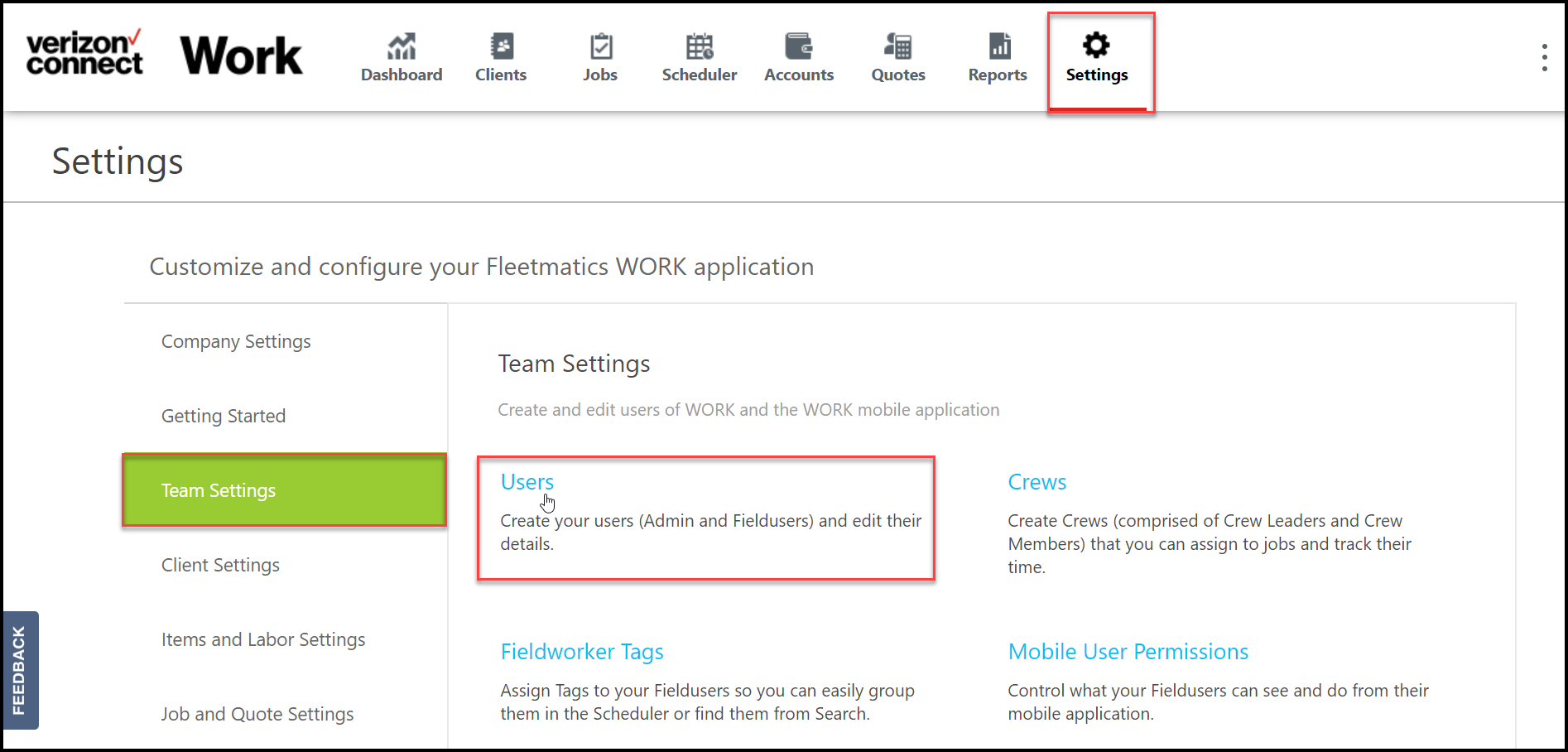
From Settings, select Team Settings then Users.
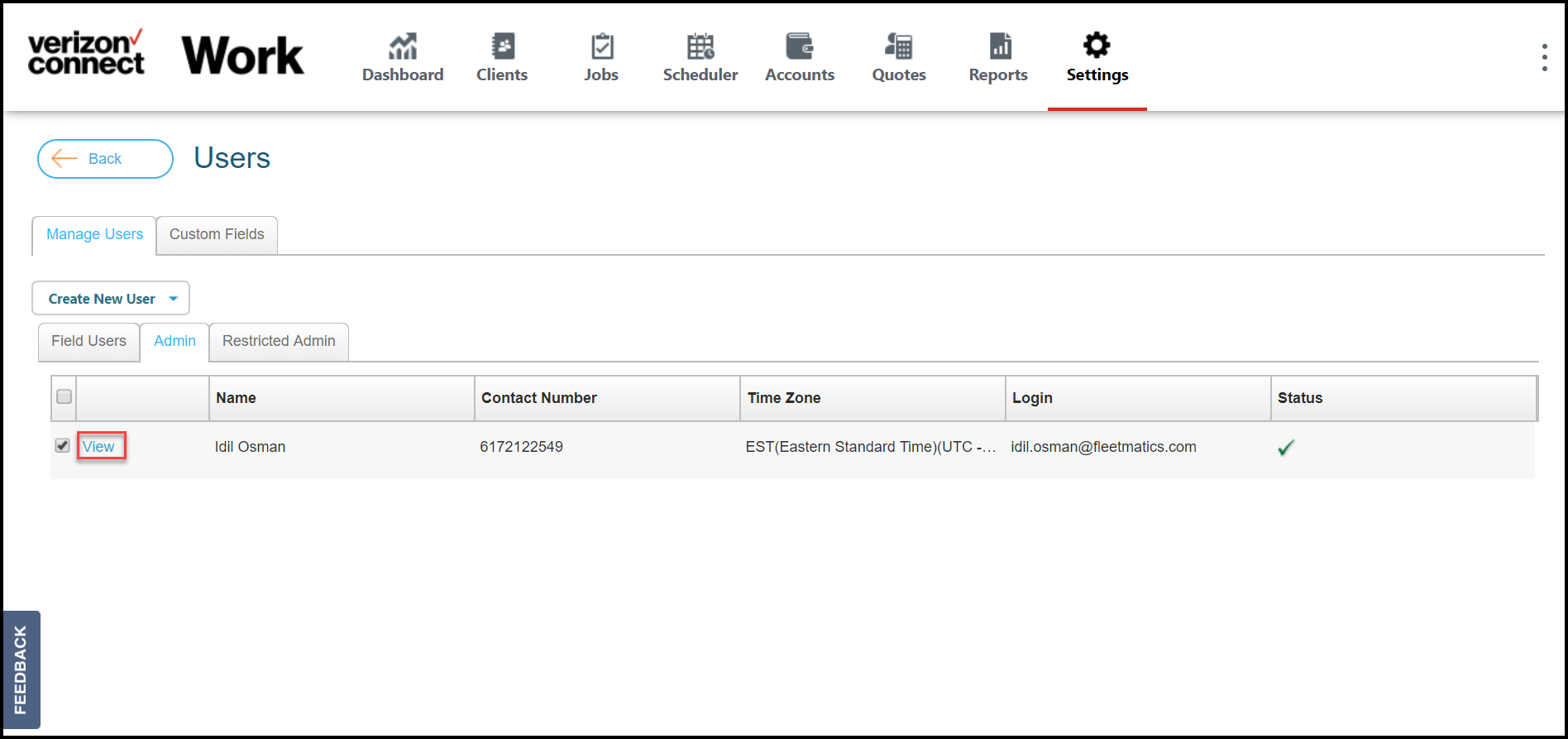
Within Users, select the Admin tab and View near the Admin’s name.
Note: Selecting the checkbox will not open the Admin profile, selecting View will.
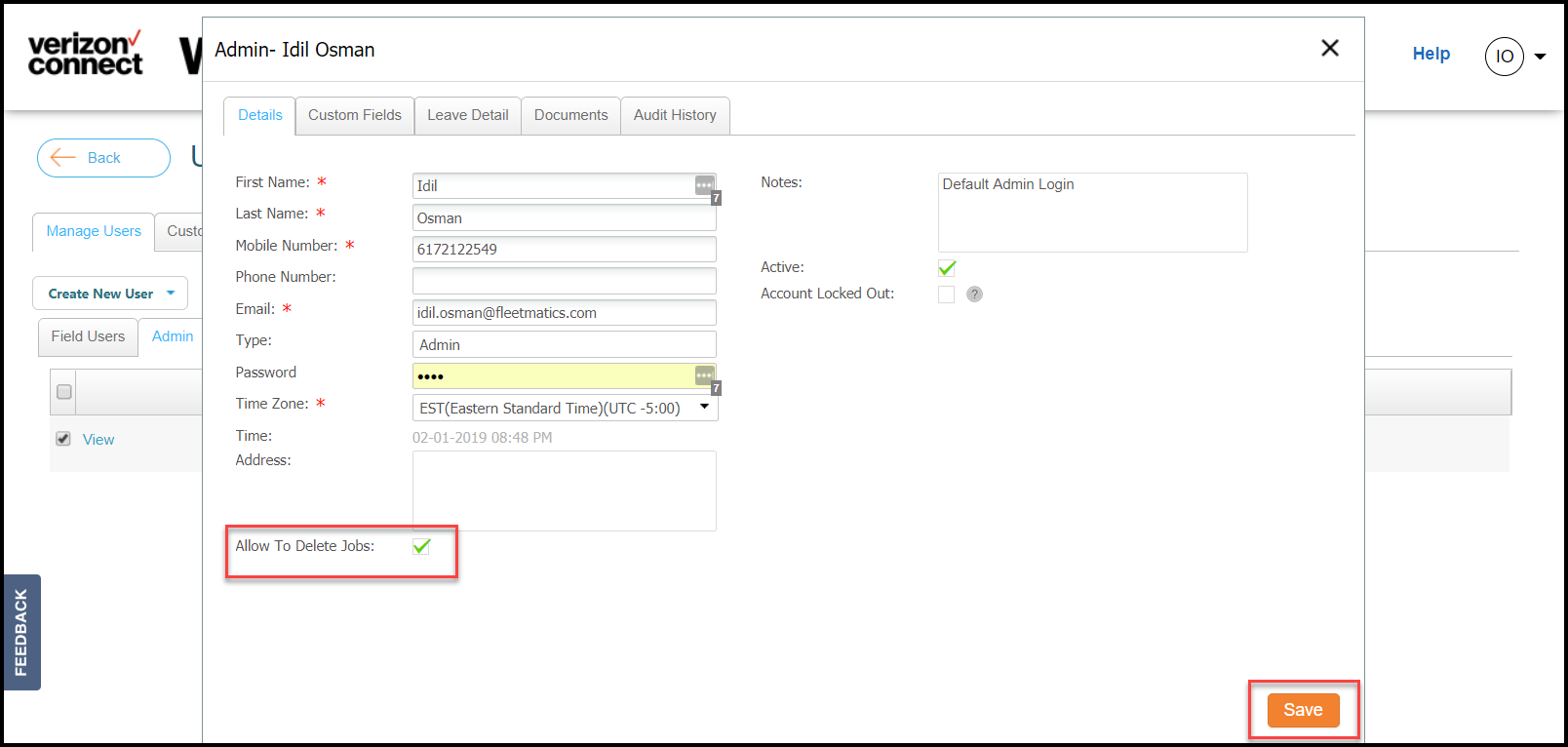
From the Admin pop-up, select Allow to Delete Jobs then select save.
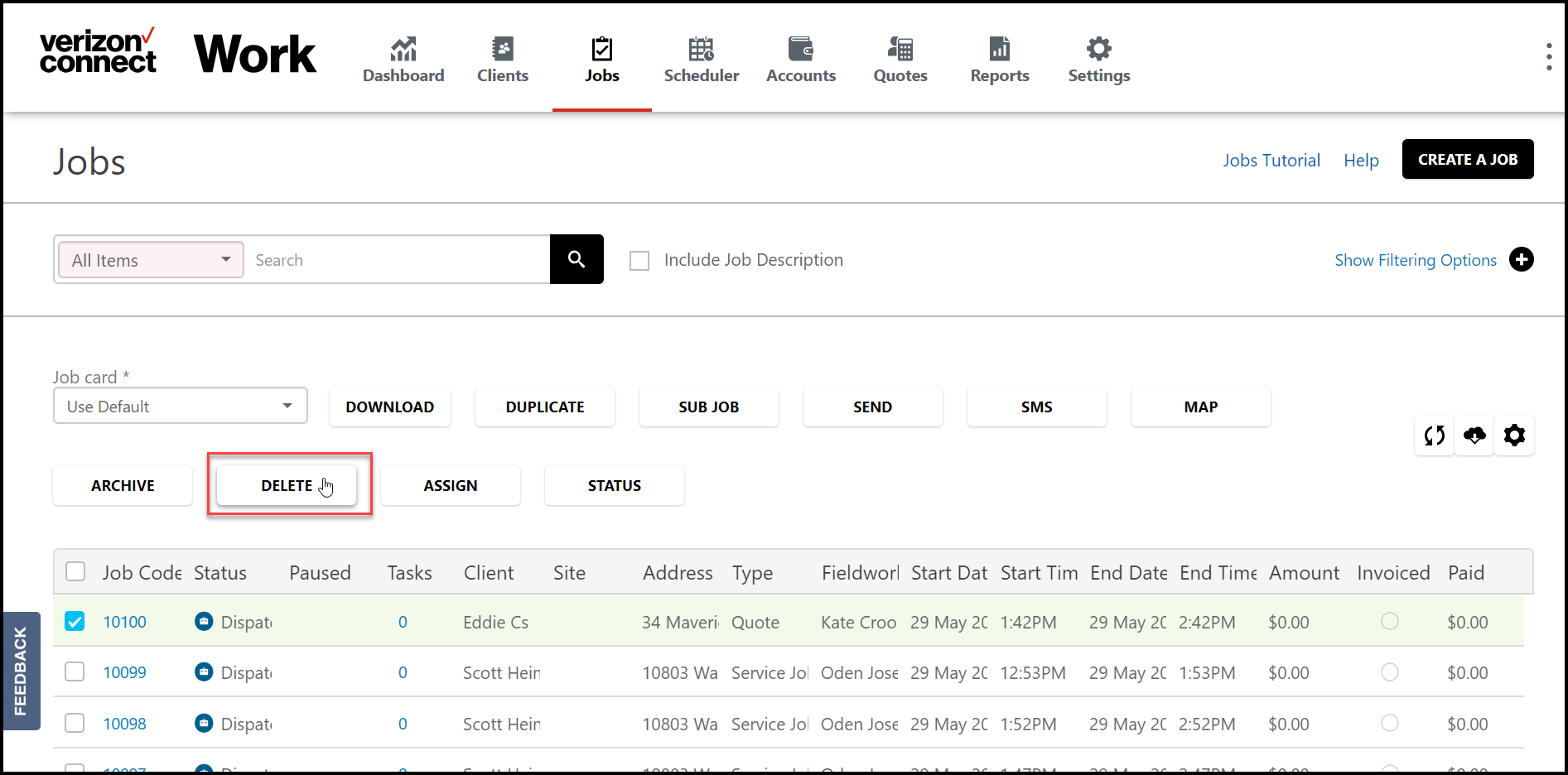
Now that Admin has the permission to delete a job, they will see an option to delete a job from Jobs.
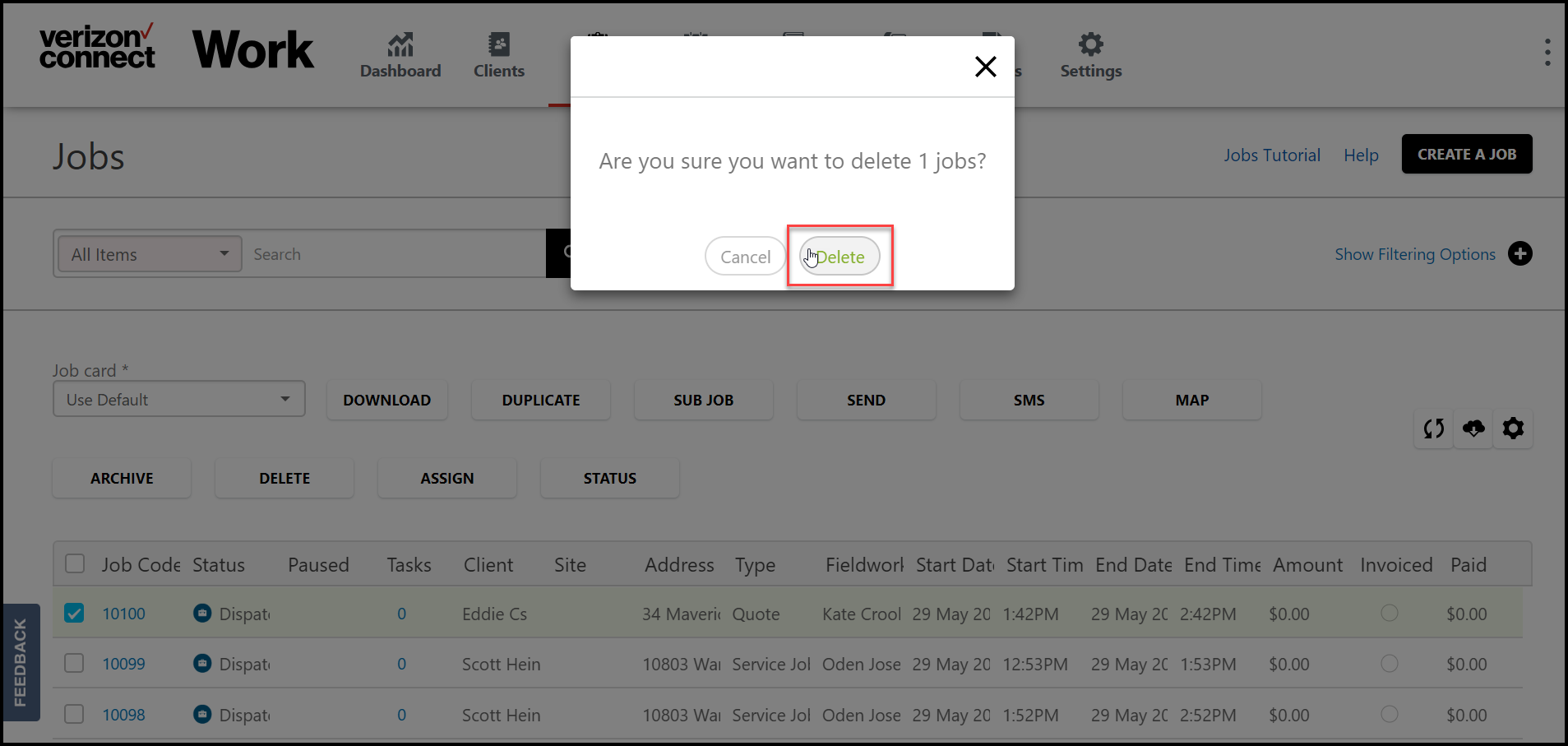
From Jobs, select the checkbox near the Job Code then select Delete.
Admins should confirm the action by selecting Delete.
Learn how to restore a deleted job.
Comments
0 comments
Article is closed for comments.